Building Reliability in Multi‑Application Environments
Why a Monitoring Team Matters Today
In modern IT environments, you don’t manage one application — you manage many interconnected systems. A decentralized SAP EWM, SAP S/4HANA, cloud services, middleware, IoT platforms… each brings its own interfaces, logs, alerts, and failure points.
Without a dedicated monitoring team, keeping this multi‑application landscape healthy becomes slow, reactive, and risky. The result?
Blocked business processes, unnecessary downtime, missed SLAs, and rising operational costs.
A strong monitoring team changes that. It gives you real‑time visibility, clear priorities, and a path toward proactive observability instead of daily firefighting.
What a Modern Monitoring Team Actually Does
A monitoring team is far more than a group watching dashboards. Their scope spans your full IT landscape.
1. Map the entire landscape
They document all applications, environments (DEV/QAS/PRD), and how interfaces depend on each other. Tools like SAP Cloud ALM Landscape Management help centralize this view.
2. Prioritize interfaces with SLOs
Instead of static thresholds, they define Service Level Objectives (SLOs) per critical interface. This lets the team differentiate a sandbox glitch from a production‑critical failure.
3. Establish monitoring schedules & baselines
Every interface has a rhythm — weekly batches, hourly syncs, continuous flows. Modern tools (e.g., SAP Focused Run AI‑based Metric Forecasting) automatically learn normal patterns and adjust baselines dynamically.
4. Set up alerts and escalation paths
Alerts should be actionable, linked to runbooks, and routed correctly. SAP Cloud ALM Intelligent Event Processing automates routing to email, chat, ticketing, or automated actions.
5. Track operational KPIs
Typical KPIs include:
- MTTD – Time to detect
- MTTA – Time to acknowledge
- MTTR – Time to resolve
High‑performing teams detect and acknowledge critical issues within minutes.
6. Keep documentation and expectations clear
Stakeholders must know what the monitoring team covers — and what it doesn’t.
7. Promote a culture of observability
Dashboards must be widely accessible. Teams should collaborate around shared telemetry instead of working in silos.
The Roles You Need Inside a Monitoring Team
A well‑balanced team helps control landscape complexity and reduces alert fatigue.
Project leader
Defines the scope of monitoring and coordinates with business stakeholders.
Team leader
Translates business priorities into operational actions and oversees continuous improvement.
Observability / SRE engineer
A technical profile responsible for:
- Instrumentation
- Alert tuning
- Root cause analysis
- Shift‑left practices
Shift‑left approaches significantly reduce defect detection time and cost.
Integration specialist
Ensures SAP and cross‑platform interfaces (IDocs, qRFC, APIs) are correctly monitored. Often works with SAP Integration Suite and SAP Focused Run.
Data stewards
Validate data consistency flowing between systems. May sit in IT or the business side.
Functional consultants
Provide business context (SD, MM, PP, FICO, EWM) to ensure issues are prioritized appropriately.
The Types of Monitoring You Need (Beyond “System Up/Down”)
Modern landscapes require full‑stack observability: metrics, logs, and traces.
Application Performance Monitoring (APM)
Measures response times, error rates, and code‑level performance. Supports continuous feedback across DevOps cycles.
Infrastructure monitoring
Tracks CPU, memory, disk I/O, network throughput across on‑prem and cloud infrastructures. SAP Cloud ALM Health Monitoring offers unified health checks.
Integration & exception monitoring
Critical in multi‑application landscapes. Tracks IDocs, qRFCs, APIs, cloud interfaces, PI messages, and more across end‑to‑end flows.
Business process monitoring
Answers: Are our processes completing on time? Links technical health to business outcomes.
Real user & synthetic monitoring
RUM measures actual user experience; synthetic scripts detect issues before users do.
Security monitoring
Validates configurations and detects threats. Can link SAP event logs to SIEM tools for real‑time security alerts.
The Toolset Behind a High Performing Monitoring Team
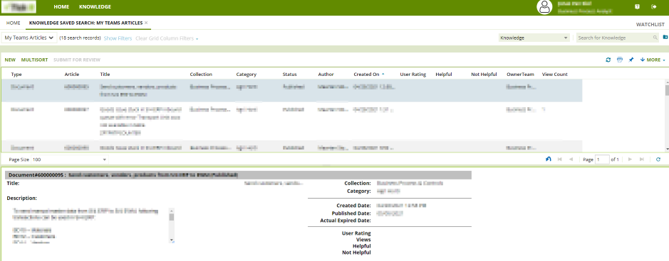
Your monitoring team relies on two core SAP platforms, apart from which there are also open-source and AI-powered tools.
SAP Cloud ALM
Best for cloud‑first or hybrid landscapes. Includes:
- Business Process Monitoring
- Integration & Exception Monitoring
- Real User & Synthetic Monitoring
- Health Monitoring
- Configuration & Security Analysis
- Intelligent Event Processing
Included with SAP Enterprise Support for cloud editions.
SAP Focused Run
Built for large, high‑volume, mission‑critical SAP landscapes.
Key capabilities:
- System Monitoring
- AI‑based Metric Forecasting
- System Anomaly Prediction
- Integration & Exception Monitoring
- Operations Automation through guided procedures
SAP itself uses Focused Run for its internal IT operations.
Open-source observability tools
Many organizations use them alongside SAP tools:
- OpenTelemetry – standard for metrics, logs, and traces
- Prometheus – metrics collection
- Grafana – visualization
They integrate with SAP telemetry and expand observability across non‑SAP systems.
AIOps: AI‑powered operations
AIOps enhances detection, resolution, and noise reduction through:
- Anomaly detection
- Predictive insights
- Automated remediation
- Event correlation
Both SAP Cloud ALM and SAP Focused Run embed AI features to accelerate root‑cause analysis and issue resolution.
Incident Management Integration
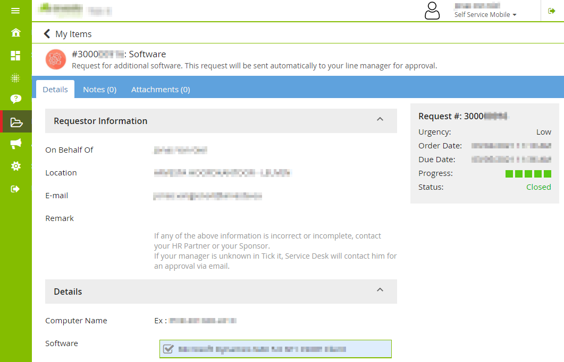
Monitoring is only half the story; issues must be documented and followed up. A strong monitoring team integrates with ticketing, chat, and automation tools to:
- Create tickets automatically
- Trigger guided procedures
- Enrich incidents with telemetry data
- Improve future runbooks using retrospective insights
How Organizations Evolve: From Reactive to Proactive Monitoring
Building a monitoring team is a maturity journey:
Phase 1 — Foundation
Set up core metrics, dashboards, and critical alerts. Centralize logs. Map systems and interfaces.
Phase 2 — Depth
Add distributed tracing, SLO‑based alerting, and end‑to‑end integration monitoring. Introduce Job & Automation Monitoring.
Phase 3 — Maturity
Add real user monitoring, synthetic testing, automated remediation, business correlation, and AI‑based anomaly detection.
Teams should review KPIs quarterly and aim to reduce MTTR and alert noise over time.
Conclusion
A dedicated monitoring team is essential for organizations running multi‑application landscapes. By combining the right roles, processes, and advanced observability tools — from SAP Cloud ALM and Focused Run to open‑source telemetry frameworks — you move from reactive firefighting to predictive, data‑driven operations.
The result is better reliability, fewer disruptions, and a stronger service level for your business and customers.
Looking to structure or mature your monitoring team?
Contact us to explore how we can help you build observability across your SAP and non‑SAP landscape.
Sources used for this article:
- OpenTelemetry – A Unified Approach to Observability in Microservices Architectures
- [PDF] Open Telemetry Framework for Cloud Applications – sistema Fenix – 2.1 Observability, Telemetry, and OpenTelemetry.
- Empowering DevOps with observability: Enhancing system …
- Monitoring Integrations with SAP Cloud ALM –
- SAP Cloud ALM for Operations
- SAP Focused Run – SAP Support Portal
- Intelligent Event Processing – SAP Learning
- Intelligent Event Processing – SAP Support Portal
- Incident Management KPIs & Metrics That Matter – MTTR, MTTA and …
- [PDF] Observability-Driven Devops: Leveraging Monitoring to Improve …
- Observability Survey Report 2025 – key findings | Grafana Labs –
- Grafana Labs Unveils 2025 Observability Survey Findings …
- Proactive Software Testing: The Shift-Left Approach to Early Defect Detection and Prevention
- Implementation of the Shift Left paradigm: impact on software quality …
- Integration & Exception Monitoring
- Building an Observable System Based on OpenTelemetry
- SAP Cloud ALM Operations overview › blue.works
- Intelligent Alert Management in SAP Cloud ALM with…
- See how SAP is leveraging SAP Focused Run to ensure system stability, performance, and security
- SAP Focused Run Explained: Purpose, Value, and Real Use
- Operations Automation for Alert Management – SAP Support Portal
- Learn about the latest innovations of SAP Focused Run in analytics & intelligence
- C-Suite Recognition Drives…
- Grafana Labs Unveils 2025 Observability Survey Findings and Open Source Updates at KubeCon Europe
- [PDF] Beyond Reactive IT: Quantifying the Transformative Impact of AIOps …
- International Journal of Intelligent Systems and Applications in Engineering
- SAP Cloud ALM Operations Guide | PDF – Scribd
- Proactive vs. Reactive Monitoring: Which approach is better for your …
- Building a high-impact observability team | Chronosphere